

Introduction
Power interruptions are more than a temporary inconvenience for modern businesses. From data loss to equipment damage and operational downtime, even a short outage can have measurable financial impact. That is why selecting the right online UPS for business is not just a purchase decision, but a strategic investment in continuity.
Many organisations underestimate how critical a properly configured power backup system is until a failure occurs. Choosing the right UPS requires a clear understanding of your infrastructure, load demands, and future growth. This guide breaks down the practical factors that help IT managers and business owners make an informed decision.
What is an Online UPS and Why Businesses Need It
An online UPS, also known as a double conversion UPS, continuously converts incoming AC power to DC and then back to AC before supplying it to connected equipment. This process ensures a consistent and clean power supply, free from voltage fluctuations, spikes, or frequency variations.
Unlike offline or line-interactive systems, an online UPS provides:
- Zero transfer time during power failure
- Complete isolation from power disturbances
- Stable voltage output for sensitive equipment
For businesses running servers, networking systems, or critical applications, this level of protection directly supports business continuity and prevents costly disruptions.
Key Factors to Consider When Choosing an Online UPS for Business
Load Capacity and Power Requirements
The first step in how to choose UPS system effectively is calculating your total load. This includes:
- Servers and data storage systems
- Networking devices such as routers and switches
- Workstations and essential peripherals
Add the wattage of all connected devices and include a buffer of at least 20–30 percent for future expansion. Under-sizing a UPS can lead to overload issues, while over-sizing increases unnecessary costs.
Scalability is equally important. Businesses often expand infrastructure over time, so selecting a UPS that supports modular upgrades can prevent future replacement expenses.
Backup Time Requirements
Backup time determines how long your systems will run during a power outage. This varies depending on your business operations:
- Short backup (5–15 minutes): Enough to safely shut down systems
- Medium backup (15–60 minutes): Supports temporary outages
- Extended backup (1+ hour): Required for critical operations or remote sites
Choosing the right battery configuration ensures your UPS aligns with operational needs rather than just basic protection.
Type of Equipment You’re Protecting
Not all equipment responds the same way to power fluctuations, so identifying what you’re protecting is a key step in how to choose UPS system effectively.
Broadly, business equipment can be grouped into three categories:
- Sensitive IT Equipment
Includes:
- Servers and data centres
- Networking devices (routers, switches, firewalls)
- Storage systems
These systems require pure sine wave output, zero transfer time, and consistent voltage, making an online UPS essential.
- Office & Business Devices
Includes:
- Desktop computers and workstations
- POS systems
- Printers and communication devices
These are moderately sensitive. While minor fluctuations may not cause immediate damage, consistent instability can reduce lifespan and performance.
- Industrial & Critical Systems
Includes:
- Manufacturing equipment
- Medical devices
- Automation and control systems
- Telecom infrastructure
For these environments, industrial UPS selection becomes more specialised. You must evaluate:
- Harmonic distortion tolerance
- Voltage regulation precision
- Redundancy requirements (N+1 configuration)
- Continuous runtime capability
Even a small power disturbance in such setups can lead to production loss, safety risks, or system failure.
Efficiency and Operating Costs
Energy efficiency plays a significant role in long-term cost management. Modern online UPS systems offer high efficiency modes that reduce energy consumption without compromising protection.
Key considerations include:
- Efficiency ratings (typically 90–96 percent or higher)
- Heat generation and cooling requirements
- Electricity costs over extended usage
A slightly higher upfront investment in an efficient system often results in substantial operational savings.
Space and Installation Considerations
UPS systems come in different form factors depending on installation needs:
- Rack-mounted UPS: Ideal for server rooms and data centres
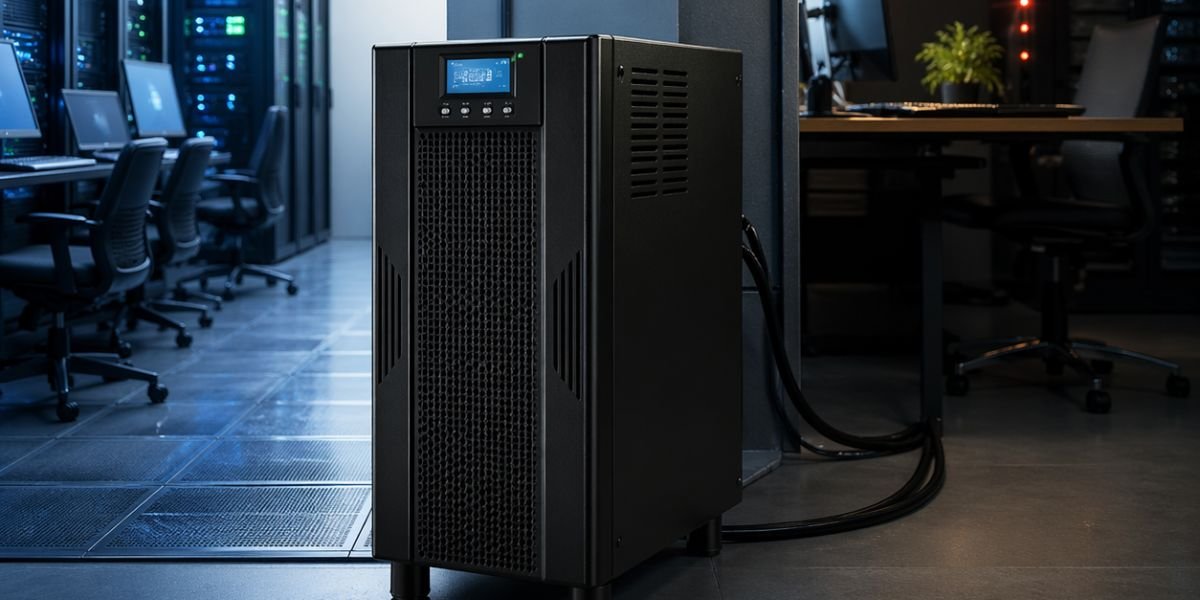
- Tower UPS: Suitable for office environments with limited rack infrastructure
Space availability, ventilation, and ease of maintenance should influence your decision. Poor installation planning can lead to overheating and reduced system lifespan.
Maintenance and Service Support
A UPS system is only as reliable as its maintenance plan. Regular servicing ensures consistent performance and reduces the risk of unexpected failures.
Look for:
- Annual Maintenance Contracts (AMC)
- Availability of replacement batteries
- Fast response times for service support
Reliable after-sales service is critical, especially for businesses that operate around the clock.
Online UPS vs Other UPS Types – What Works Best for Offices
When evaluating the best UPS for office, understanding the differences between UPS types helps in making a practical choice.
- Offline UPS: Suitable for basic desktops and low-risk environments
- Line-interactive UPS: Handles minor voltage fluctuations
- Online UPS: Provides complete protection for critical systems
For offices with servers, cloud-based operations, or continuous workflows, an online UPS is the preferred choice due to its reliability and zero downtime switching.
Common Mistakes Businesses Make When Selecting a UPS
Several common errors can lead to poor UPS performance or unnecessary expenses:
- Underestimating load requirements, leading to overload issues
- Ignoring future expansion, resulting in early system replacement
- Choosing based only on price rather than performance
- Overlooking service support and maintenance availability
Avoiding these mistakes can significantly improve the lifespan and efficiency of your power backup solution.
Why Choosing the Right UPS Partner Matters
Selecting the right UPS is not only about specifications but also about expertise. A knowledgeable provider can assess your infrastructure, recommend suitable configurations, and ensure proper installation.
Businesses benefit from:
- Customised power backup solutions
- Accurate load analysis and system design
- Reliable after-sales service and support
For businesses looking for tailored power backup solutions, exploring reliable providers such as Covenant Techsys can help simplify the decision-making process.
Conclusion
Choosing the right online UPS for business requires careful evaluation of load requirements, backup needs, efficiency, and long-term scalability. A well-selected system protects critical infrastructure, supports uninterrupted operations, and reduces the risk of downtime.
By focusing on practical requirements rather than short-term cost savings, businesses can build a resilient power backup strategy that supports growth and operational stability over time.